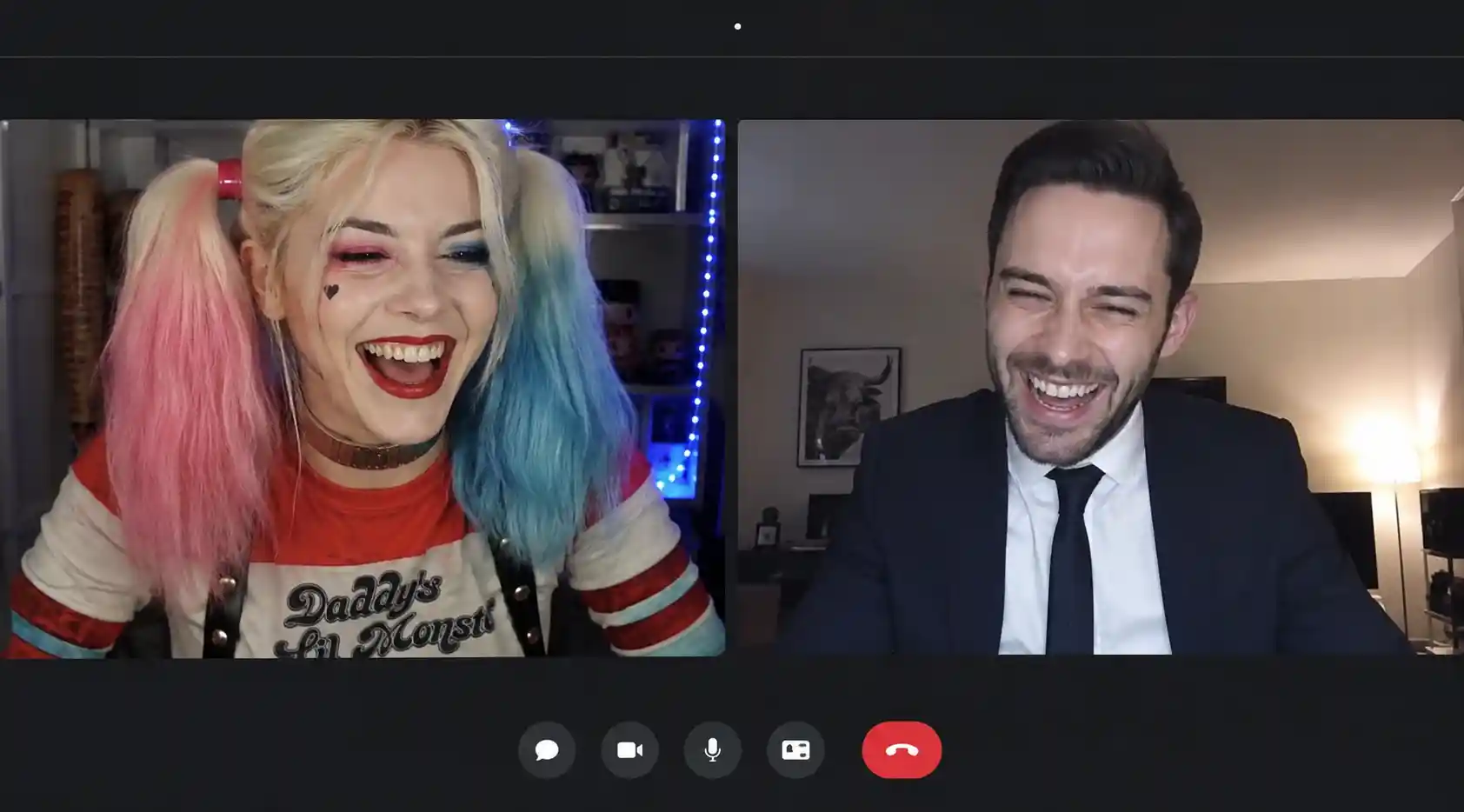
Key takeaways
Video lets you see the reactions, expressions, and body language of the person you're talking to.
It's important to protect your identity, your home, your contact details, and anything visible behind you.
You can start by chatting in writing, then accept the webcam only once you feel comfortable enough.
A screenshot or screen recording can be made without you noticing. Never show anything you wouldn't want shared.
What is a webcam chat?
A webcam chat is an online chat space that lets two or more people communicate using their camera and microphone. Unlike a text-only chat, video chat lets you see the person you're talking to in real time.
This type of service can take several forms. Some platforms offer public rooms where members chat freely. Others focus on private one-on-one calls. There are also systems that let you start with a text exchange before turning on the camera.
The term cam chat generally refers to the same kind of service. People also search for terms like free cam chat or free chat cam when looking for a platform that doesn't require a paid subscription.
Webcam chat can be used to meet new people, connect with others who share the same interests, join a group discussion, or simply add a more human touch to an online conversation.
Want to start with a chat?
Join Tchat Direct's rooms, chat by message, and only use the private features once you feel comfortable.
How does a cam chat work?
A cam chat generally works in a fairly simple way. The user joins a chat room or opens a private conversation with another member. They can then allow access to their camera and microphone from their browser.
The first time you use it, your browser will normally show a permission request. You need to accept access to the camera and microphone for the video call to work. This permission can then be withdrawn in your browser settings.
The main steps of a webcam conversation
- Join a room or open a private conversation.
- Exchange a few messages with the other person.
- Send or accept a webcam call request.
- Temporarily allow access to the camera and microphone.
- End the call as soon as the conversation feels uncomfortable.
A serious platform should make it easy to decline a call, mute your microphone, turn off your camera, and leave the conversation without having to justify yourself.
It's best never to automatically accept every webcam request. A short text conversation often helps spot pushy, aggressive, or inconsistent behavior before showing your face.
How do you choose a free cam chat?
A free cam chat lets you video chat without having to pay when you sign up. That doesn't necessarily mean every feature is unlimited, but access to the main conversations should remain possible without a mandatory subscription.
Before joining a platform, look beyond the word "free." A site can advertise a free webcam while flooding you with pop-up ads, fake profiles, or payment requests after just a few minutes.
A good free chat cam platform should clearly explain how it works, its moderation rules, and its terms of use for the webcam.
Key things to check
- Is access to the chat rooms genuinely free?
- Can you actually decline a webcam call?
- Can you easily block and report a user?
- Are suspicious profiles moderated?
- Does the site work properly on mobile?
- Are the rules around adult content clearly displayed?
- Does the platform ask for unnecessary personal information?
You should also be wary of sites that immediately ask for a bank card number, even when they advertise a free offer. A supposedly free bank verification can sometimes trigger a recurring subscription that's hard to cancel.
| Criteria | Good sign | Red flag |
|---|---|---|
| Sign-up | Little required information | Immediate request for bank details |
| Webcam | Turned on voluntarily after acceptance | Camera turned on automatically |
| Moderation | Visible block and report buttons | No way to report behavior |
| Ads | Limited and identifiable presence | Misleading pop-ups and repeated redirects |
| Payment | Pricing clearly explained | Free trial with a hidden subscription |
The best choice isn't always the platform that promises the most features. A simple, clear, and well-moderated service is often more enjoyable than a site cluttered with unnecessary options.
What are the benefits of webcam chat?
The main benefit of webcam chat is that it makes the exchange more direct. A video conversation lets you see facial expressions, hesitations, smiles, and the other person's reactions.
In a text-only conversation, a sentence can easily be misread. Humor, irony, or awkwardness aren't always obvious. The camera adds context and can reduce misunderstandings.
A more natural conversation
The pace of a video call feels more like a real conversation. Users don't need to wait several minutes between messages. They can respond immediately and build more easily on the topics being discussed.
A better way to verify a profile
The webcam can also help confirm that a person really looks like their photos. That doesn't guarantee everything they say is true, but it does limit certain fake profiles that use pictures found online.
A step before meeting in person
For people considering meeting up, a video call can be a useful middle step. It lets you check whether there's a connection before arranging to meet.
This doesn't replace the usual precautions, though. A first meeting should always take place in a public location, with independent transportation, and without sharing your home address too quickly.
Well suited to private conversations
Cam chat is especially well suited to small, one-on-one exchanges. A private conversation is generally smoother than a video room full of people talking at once.
Start with a text conversation
On Tchat Direct, you can join public rooms and chat before accepting a private exchange.
What are the risks of a cam chat?
A webcam makes a conversation feel more human, but it also exposes you more. As soon as the camera is on, the other person can see your face, your clothing, the room you're in, and sometimes personal details visible in the background.
The first risk is being recorded without knowing it. Someone can take a screenshot or record the video using external software. The site can't always detect this kind of recording.
Protect what's visible behind you
Before turning on the webcam, check what appears in the camera's field of view. Mail, a family photo, a work badge, a street sign, or a window can all reveal personal information.
The simplest solution is to use a plain wall or a virtual background. You should also turn off on-screen notifications when the conversation involves screen sharing.
Don't give in to pressure
No one should force you to turn on your camera. A user who insists, threatens to leave the conversation, or asks for uncomfortable gestures should be blocked.
Declining a webcam request isn't rude. Consent must stay free and can be withdrawn at any time, even after the call has started.
Watch out for video blackmail
Some scams rely on recording private content. The scammer then threatens to send it to the victim's contacts or post it on social media in exchange for money.
Never pay in the hope that the recording will be deleted. Payment guarantees nothing and can lead to further demands. It's better to keep evidence, block the account, and report the situation quickly.
Avoid suspicious downloads
A serious platform shouldn't require you to download an unknown file to activate the webcam. Modern browsers generally allow video calls directly from a web page.
A file presented as a webcam driver, an update, or chat software can contain malware. Avoid downloading anything from a link sent inside the chat.
Essential safety rules
You don't need to wait for a justification or an explanation.
Avoid revealing your full name, your employer, or your address.
Assume that anything shown on screen can be kept.
Reporting can help protect other members of the platform.
Cam sex chat: what you need to know
The search term cam sex chat generally refers to video chat spaces reserved for adults. These platforms may offer private conversations, themed rooms, or exchanges between people looking for a more intimate discussion.
This type of service must be strictly limited to adults. The presence, or suspected presence, of a minor should lead to the conversation being stopped immediately and reported to the platform.
Consent must be clear
An adult conversation doesn't mean every behavior is automatically accepted. Each participant must agree before intimate content is shown or the nature of the conversation changes.
A person can withdraw their consent at any time. Having accepted the webcam doesn't mean they accept every request from the other person.
The risk of content being shared is higher
In a cam sex chat, the risk of capture, recording, and blackmail is especially high. It's strongly discouraged to show your face and intimate content at the same time.
Tattoos, unique jewelry, room decor, or certain objects can also allow someone to be identified, even when their face isn't visible.
Watch out for fake profiles and pre-recorded videos
Some accounts use recorded video to give the impression that a real person is taking part in the conversation. Repetitive movements, no reaction to questions, or an unusual mismatch between voice and image should raise suspicion.
Other profiles only aim to redirect users to a paid site, an external messaging app, or a fake age-verification form.
Never send money
Requests for money, prepaid cards, cryptocurrency, or payment for a supposed verification are red flags. Even when a person seems real on webcam, that doesn't prove they're honest.
A video conversation should remain voluntary. As soon as someone demands money, makes threats, or creates a sense of urgency, leave the conversation.
Text, audio, or webcam chat: which should you choose?
Not every type of conversation suits the same need. Text works well for people who want to take their time. Audio makes the exchange more direct without showing your face. Webcam offers a fuller conversation, but requires more trust.
| Format | Advantages | Limitations | Exposure level |
|---|---|---|---|
| Text chat | Simple, discreet, and accessible anywhere | Risk of misunderstandings and fake profiles | Low |
| Audio chat | More natural without showing your face | Your voice can reveal certain details | Medium |
| Webcam chat | Lively exchange with visible reactions | Risk of recording and identification | High |
You don't need to jump straight to webcam. A good approach is to start with text, move on to audio if you'd like, and only turn on the camera once there's enough trust.
This progression limits the risks and avoids showing your face to someone who quickly behaves inappropriately.
Text chat
Ideal for getting to know someone at your own pace while keeping some distance.
Audio chat
Useful for making the conversation feel more natural without exposing your surroundings.
Webcam chat
Best when both people trust each other and clearly agree to the call.
How do you have a great first webcam conversation?
A first video conversation can feel intimidating. There's no need to prepare a speech or try to impress the other person. What matters most is staying natural and respecting everyone's boundaries.
Check your equipment before the call
A properly positioned camera and a working microphone avoid the first few minutes being spent on technical issues. It's also better to use a stable connection.
Choose a quiet environment
A quiet place improves sound quality and helps you focus on the conversation. That said, avoid showing overly personal details in the background.
Keep the conversation balanced
A good conversation relies on open questions and genuine listening. Avoid interrogating the other person, commenting immediately on their appearance, or asking overly personal questions.
Respect a "no"
If the other person doesn't want to turn on their camera, give their first name, or continue the conversation, respect their decision. Insisting doesn't build trust and can lead to being blocked.
Know how to end the call
Not every conversation works out. You can politely end the call without inventing a long excuse. If someone behaves aggressively or inappropriately, leave the conversation immediately.
People also search for
Searches around video chat show that users are mainly looking for a platform that's free, simple, and works well on mobile.
- Free webcam chat no sign-up
- Free cam chat on phone
- Free chat cam with strangers
- Free private cam chat
- Webcam chat to meet people
- Free video chat for adults
- Safe cam sex chat
- Free webcam chat site
Behind these searches, the need is generally the same: finding an accessible chat space, meeting new people, and staying in control of when the camera turns on.
Chat before turning on the webcam
Join Tchat Direct to access public rooms, chat with members who are online, and decide for yourself who you'd like to talk to.
Quiz: which type of chat suits you?
Answer these three questions to get advice tailored to you.
1. What kind of conversation are you looking for?
2. How comfortable are you with webcam?
3. What's your priority?
Webcam chat FAQ
How does a free webcam chat work?
A free webcam chat lets you video chat using the camera and microphone of a phone or computer. Users generally join a room or a private conversation, then manually accept a call request.
Can you use a cam chat without showing your face?
Yes. You can start with a text or audio exchange and decline to turn on the camera. No one should force a user to show their face.
Is a free cam chat really free?
Some platforms let you chat for free but reserve extra features for subscribers. Check the pricing, the terms of use, and make sure there's no hidden subscription before sharing your bank details.
How do you avoid fake profiles on a webcam chat?
Stay alert to inconsistent replies, videos that seem repetitive, requests for money, and profiles that want to move you to an external messaging app right away.
Can you be recorded during a webcam call?
Yes. Someone can take a screenshot or use recording software without the platform detecting it. Never show content you wouldn't want kept or shared.
What precautions should you take on a cam sex chat?
These spaces should be reserved for consenting adults. Avoid showing your face and intimate content at the same time, hide anything that could identify you, and immediately leave any conversation involving pressure, a minor, or a request for money.
Which chat should you use before a webcam call?
Tchat Direct lets you join public rooms, chat by message, and talk privately. It's best to exchange a few messages before accepting a video call.
Also worth reading: our guide to meeting spots in Paris and our guide to meeting spots in Bordeaux, France's wine capital. Alternatives to coco.gg, Our article on GGCHAT,
Free webcam chat: chat without letting your guard down
Webcam chat makes conversations livelier and more natural than a simple exchange of messages. It lets you see the other person's reactions, verify a profile more easily, and create a more direct connection.
A cam chat should still never force a user to turn on their camera. Everyone should be able to start with text, decline a call, mute their microphone, and leave a conversation at any time.
Searches like free chat cam or free cam chat show that people mainly want access to a simple platform with no mandatory subscription. Still, being free isn't enough on its own. Moderation, blocking options, and data protection matter just as much.
On a cam sex chat, caution matters even more. These conversations should be limited to consenting adults, with no pressure, no sending money, and no content that makes identification easy.
The simplest rule is to assume that anything shown on screen can be recorded. Starting with a chat, staying in control of your camera, and immediately leaving suspicious exchanges lets you enjoy webcam chat while limiting the risks.
Join a free chat
Discover Tchat Direct's public rooms, chat with members who are online, and choose for yourself who you'd like to keep talking to.
Commentaires
hello !